The biggest mistake in content repurposing
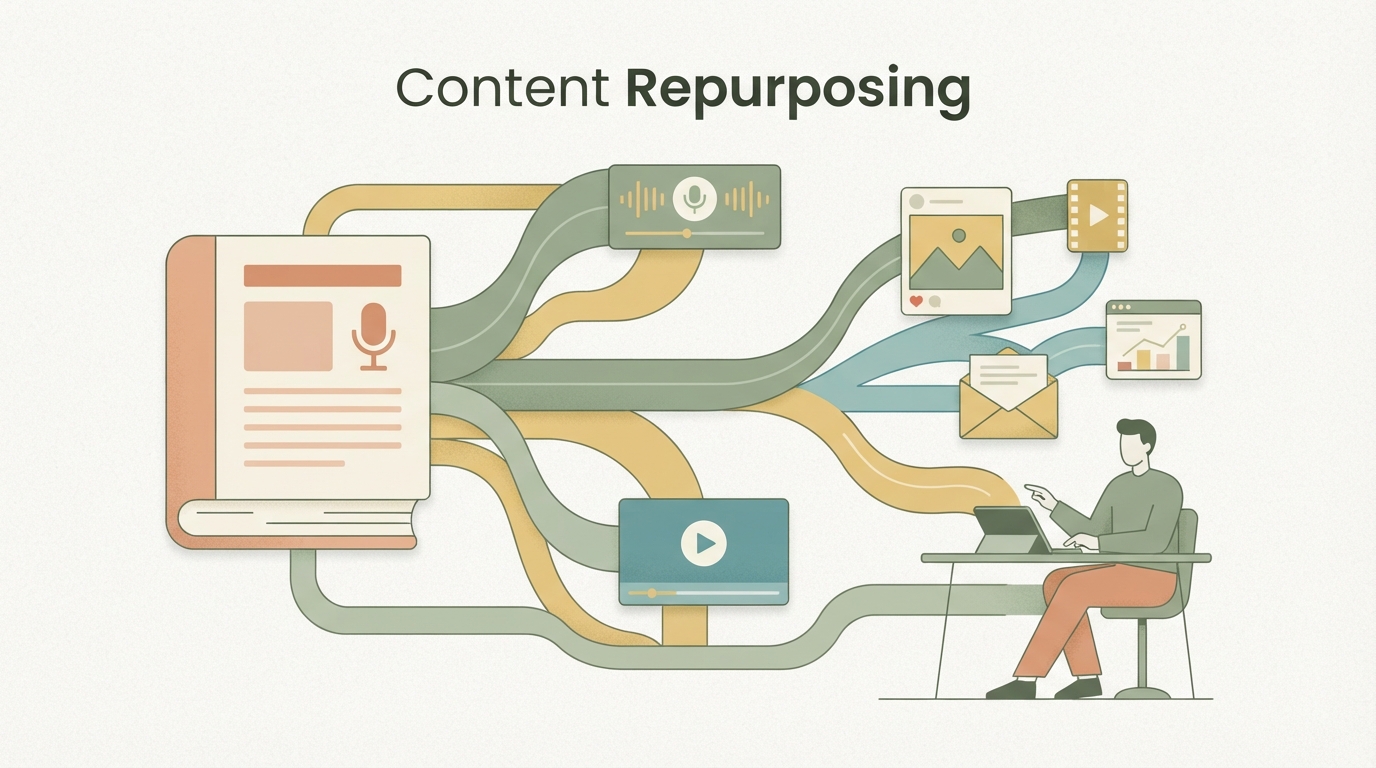
Content repurposing means taking one piece of raw material (a 45-minute video, a podcast, a long article) and turning it into 30–50 standalone pieces of content, each with a different format, angle, and audience. Not copying. Re-cutting. Re-telling.
Most people think: shoot one video, post it three times, done. Then they wonder why it looks like spam and why the numbers never move.
That's not laziness dressed up as elegance — that's just laziness. Real repurposing looks completely different.
Why does this even work?
If you just post the same video three times, each posting performs worse than the last. But if you break it down into 30–50 atoms and vary the timing, format, and hook over four weeks, you'll often see 3–5x more engagement and new followers.
Your audience is scattered. Someone's watching TikTok, someone else only follows you on LinkedIn, the next person only consumes Instagram Reels. And not everyone sees your post the first time around. The algorithm only shows each post to a fraction of your audience. People who see you cover the same topic from different angles multiple times end up trusting you more.
Another point: reusing one video only works if each format grabs attention differently. A 15-second clip with a hard cut and a hook is not the same as a 3-minute deep-dive video. Both come from the same material, but they tell the story differently.
The best part: it costs no extra shoot days, no extra production costs. The only effort is in editing and timing.
The anatomy: what comes out of one piece of raw material
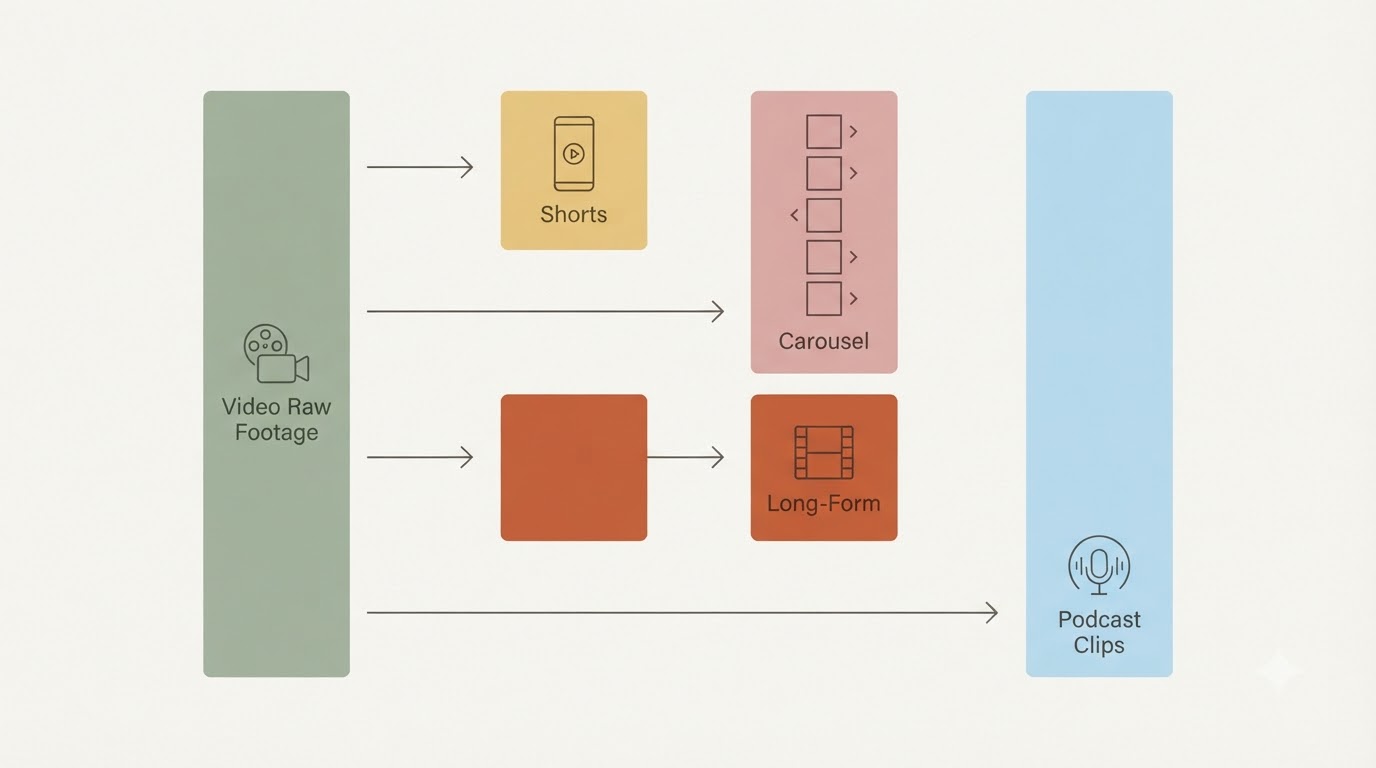
A 45-minute podcast or YouTube video typically produces the following:
- 3–5 long-form clips (2–4 min): A single topic, cleanly cut, with its own intro.
- 8–15 Shorts/Reels (15–30 sec): The hook from each long-form clip, sharpened further, with text overlay and faster cuts.
- 1–2 carousel posts: One idea turned into 5–8 slides with text, for LinkedIn/Instagram.
- 2–4 newsletter segments: 2–3 paragraphs each from different parts, packaged as standalone email editions.
- 1 TikTok trend variation: Your insights poured into whatever TikTok format is trending right now.
That's not 30 copy-paste sentences. That's 30 different bite-sized pieces, each with a different angle, different length, different visual treatment.
Step 1: Transcript + finding the cut points
The first step is boring but essential.
Upload your video to an AI transcription tool (Fireflies, Otter, or just export YouTube's auto-captions). You need the text to spot the cut points.
Go through the transcript and mark the points where your thinking genuinely shifts. That's not just a new statement — it's a real turning point for the viewer. An "aha" moment. Typically there are 3–5 of these in 45 minutes.
Example from a real SaaS video:
- Minute 5–8: "The biggest mistake is that…"
- Minute 15–20: "Instead, here's what actually works…"
- Minute 28–35: "A concrete example: [case study]"
- Minute 40–43: "This is the lever nobody pulls"
Each of these becomes a long-form video (2–4 min). Cut them out, give each its own intro and outro.
Workflow:
- Get the video transcribed (10–15 min).
- Read through the transcript once, mark the cut points (15 min).
- Note down the timestamps (5 min).
- Ready to edit.
Step 2: 3–5 long-form clips as your foundation
These are your "mid-length format." Not as long as the original, not as short as TikTok. 2–4 minutes.
Cut out each turning point from the original. Give each one a 10–15 second intro (you on camera, or a text graphic) and an outro teaser ("Find out why this matters so much in the next episode" or similar).
The mistake almost everyone makes: reusing the original's intro and outro. That doesn't work. Every format needs its own hook, as if it stood entirely on its own.
This is where most people stop. Wrongly so.
Because now you can build all the other formats on top of these long-form clips.
Step 3: 2–3 Shorts from each long-form clip
Now it gets mechanical, but incredibly valuable.
Take each 3-minute clip and ask yourself: what are the first 15 seconds that make someone stay?
That's the hook. Often it's not the first second of the clip — it's a moment from the middle that delivers the promise. Cut that out and move it to the front. Then follow with 10–15 seconds of explanation or proof. Done.
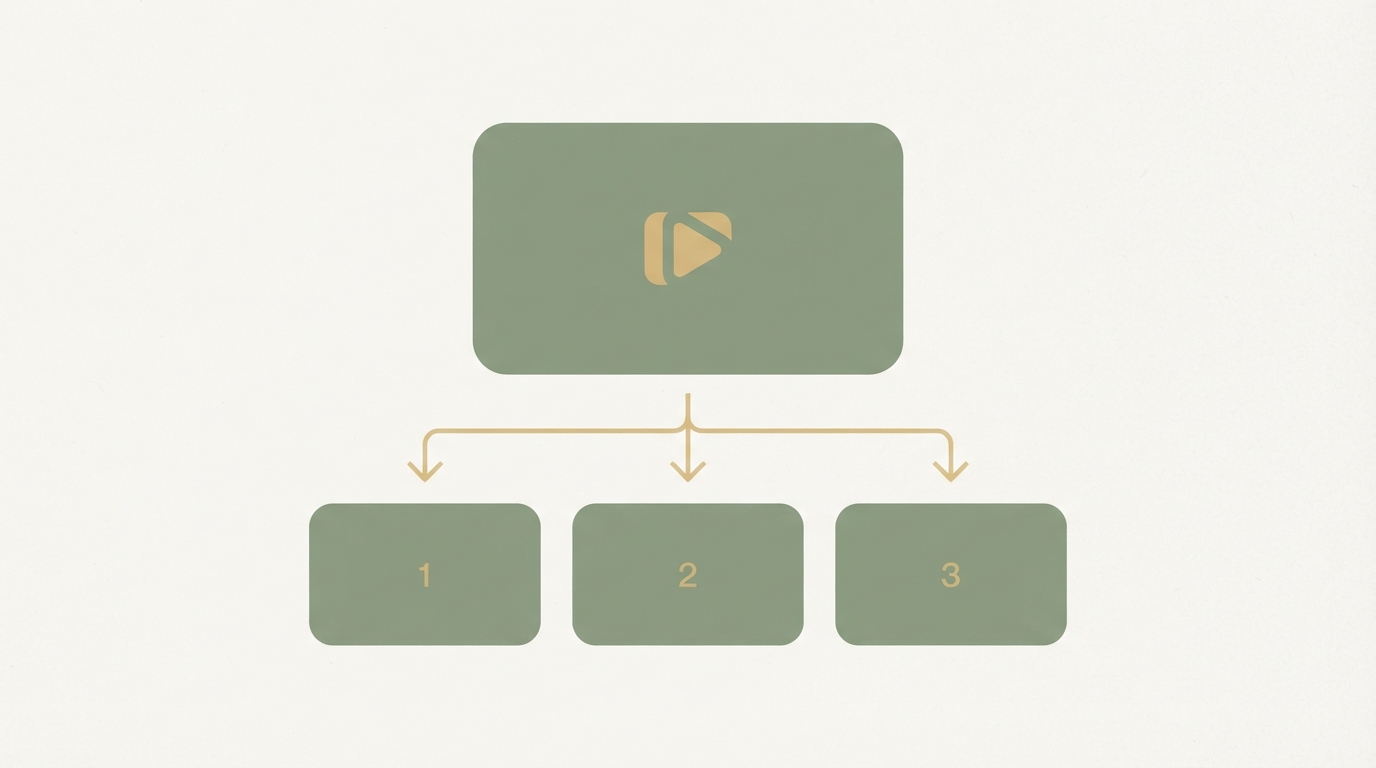
Three long-form clips give you 6–9 Shorts.
Technical setup:
- DaVinci Resolve or Adobe Premiere (or CapCut, if working on mobile).
- Aspect ratio set to 9:16 (vertical).
- Text overlay for the first line (the hook, max 10 words).
- Fast cuts (a cut every 2–3 seconds, no longer).
- Sound: music from Epidemic Sound or Artlist, not the YouTube Audio Library (too overused).
A professional creator can turn one long-form clip into a Short in 15–20 minutes. Beginners need 30–40. That's the entire time it takes to make a single Reel.
Step 4: Carousels for LinkedIn/Instagram
Carousels are underrated.
Take one of your long-form clips and turn it into 5–8 slides. One idea per slide, each idea in one or two lines. Slide 1 is the hook (a promise or a question). Slides 2–6 are the proof. Slide 7 or 8 is the CTA.
This works especially well for:
- Step-by-step processes
- Wrong vs. right (before/after)
- Top-5 lists
- Statistical insights
Turning your video into a carousel takes 20–30 minutes (design, text, export). And on LinkedIn, carousels often outperform single videos, because the algorithm shows them for longer (people swipe, which means higher engagement).
Step 5: Newsletter snippets — the underrated channel
Your video probably contains some deep insights. Those insights belong in your email list too — but not as "go watch the video!"
Instead: use your newsletter to package 2–3 insights from the video as standalone written entries.
Example: your video has a 5-minute segment on "the psychological barrier around raising prices." Turn that into a newsletter segment: a 150–200 word paragraph that explains exactly that, without ever mentioning the video. Whoever reads it gets the info. Whoever's interested can click through to the video.
This isn't recycling that feels cheap. It's new content in a new format.
Workflow:
- Pick a video segment (3 min, roughly 400–500 words of transcript).
- Rework the transcript into cleaner sentences (written tone, not spoken tone).
- Trim to 150–200 words.
- Drop it into your newsletter template.
Each video yields 2–3 newsletter snippets this way.
Step 6: The timing strategy — when to post what
This is the difference between "I have 30 posts" and "I have 30 posts that actually work."
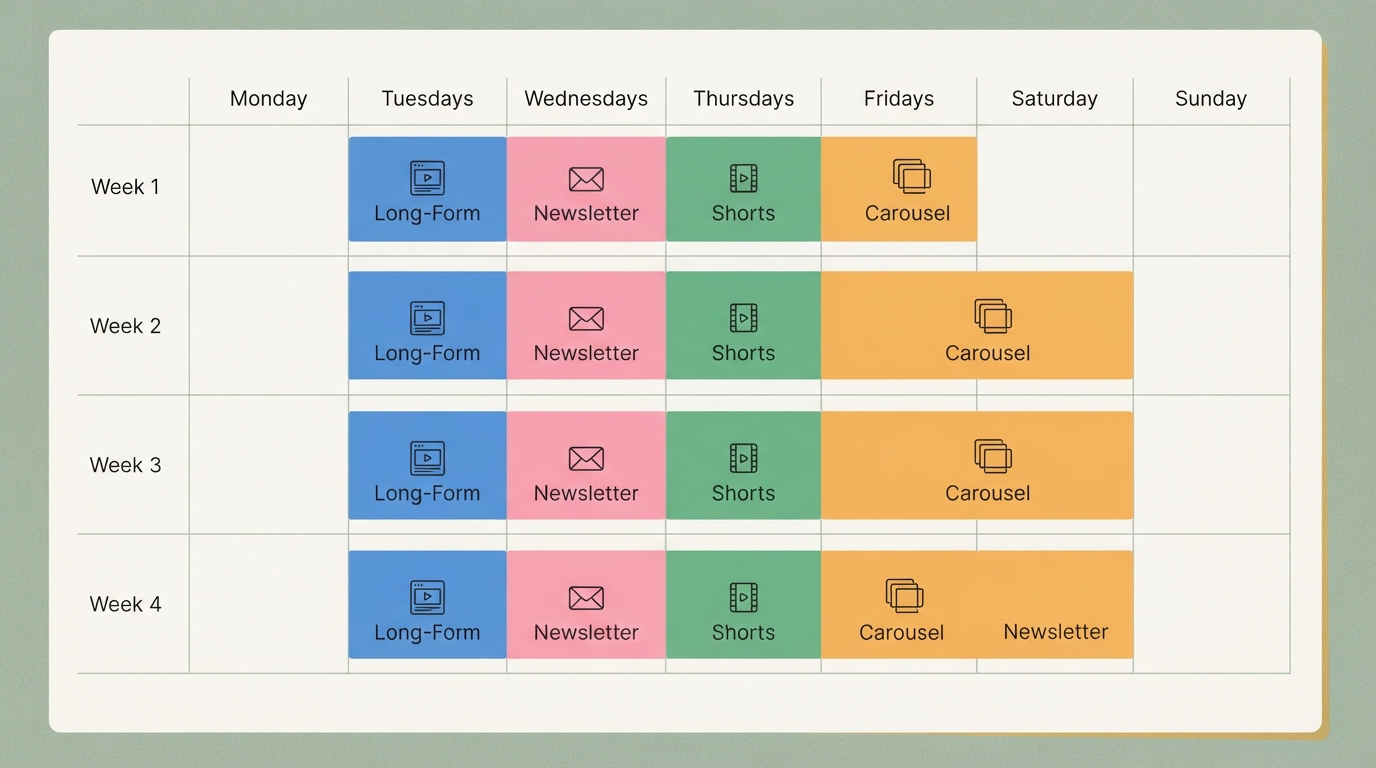
Spread your 30–50 atoms (Shorts, long-forms, carousels, newsletter pieces) across 4 weeks with this rhythm:
Week 1:
- Tuesday: Long-form clip #1 (YouTube, LinkedIn, your website).
- Thursday: 2–3 Shorts from the same clip (TikTok, Instagram Reels, YouTube Shorts).
- Friday: Carousel (LinkedIn, Instagram).
- Wednesday: Newsletter with the first snippet.
Week 2:
- Tuesday: Long-form clip #2.
- Thursday: Shorts from it.
- Friday: Repost one of the top-performing Shorts from week 1 (the algorithm rewards repeats after 7 days).
- Wednesday: Newsletter with the second snippet (different angle).
Weeks 3–4:
- Same pattern with clips #3, #4, #5.
- In between: 2–3 trend posts (a viral TikTok format filled with your insight) or community posts (answering questions without linking straight to your video).
This is reusing content with real strategy, not just automation.
This rhythm works for several reasons. You reach different people through different channels — whoever doesn't click the newsletter sees it on TikTok the following week. The same clip gets seen multiple times (long-form + Shorts), but never identically — people don't notice it's the same material. The spacing between posts keeps you from running dry. Most creators post intensely for one day and then go quiet for two weeks.
When to skip it: the limits
Not every video is suited to 30x recycling.
If your video is pure entertainment (goofing around, pranks, humor without any insight), this only works as a Shorts series. Repurposing needs real substance — something people actually want to learn or know.
If your video is too specific (a case study about one individual, a niche topic), recycling will feel forced. Here, one or two Shorts is the limit.
If you don't feel like editing: automation software like Opus Clip or Repurpose.io can help, but they won't create a good hook for you. The beginning is always craft.
A concrete numbers example
Let's take a real case: a SaaS founder who records one 40-minute podcast episode a month.
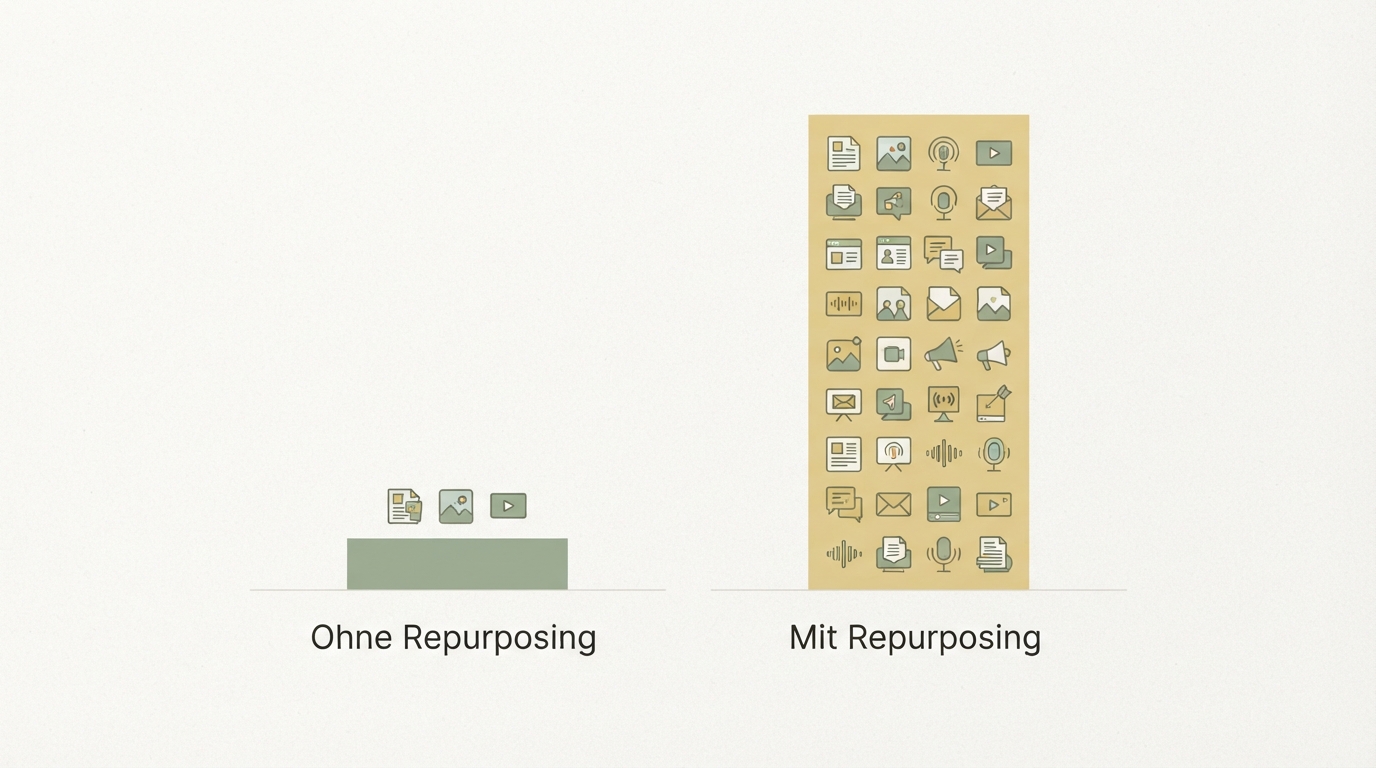
Without repurposing:
- 1 podcast episode.
- 1 YouTube upload.
- 1 LinkedIn post.
- Total: roughly 3 inquiries/month from the website.
With a 4-week repurposing system:
- 5 long-form clips.
- 12 Shorts.
- 4 carousels.
- 4 newsletter snippets.
- 3 trend posts (bonus).
- Total: ~30 individual pieces of content spread over 4 weeks.
Result (real observed outcome): roughly 20–40 new inquiries/month, +300% email subscribers, +150% follower growth after 3 months.
The cost: an extra ~10 hours of editing per month (which can be outsourced). The podcast recording itself is no extra work.
How to get started
The first step is simple: take your next video, transcribe it, and cut out a 3-minute version. Just one. Upload it.
Then cut three 30-second clips from that 3-minute version. Upload those.
Done. You've just done content repurposing.
Once that's working (and it will), make two videos next week. Then next month, build a system that runs on its own.
This isn't glamorous. But it's the lever almost nobody pulls consistently. Reusing one video isn't a bonus tactic — it's the difference between a creator who stagnates and one who scales.
Across hundreds of projects we've supported with data analysis, this pattern keeps showing up: whoever builds a system for content recycling doubles or triples their organic reach within three to four months. It's not visible right away, but it's consistent.
Almost nobody nails this editing and timing process on their own — most people stumble on the structure or give up after two videos. With Starte.ai, you can build a system that evaluates your video assets, automatically suggests the best cut points, and hands you a ready-made 4-week publishing schedule. The strategy call is free; getting started is free to try.
You won't notice much after the first video. After the third or fourth video (so roughly 6–8 weeks in), people start recognizing the pattern, and engagement grows. After 3 months, you'll typically see clear differences.
Partially. Transcription (Otter, Fireflies), thumbnail design (Descript), or auto-editing (Opus Clip) can save time. But the hook — the first line that makes viewers stay — you have to write yourself. AI finds mediocrity here, not gold.
If you're just starting out: TikTok or Instagram Reels. The algorithm is hungriest there and most forgiving of beginners. After that: LinkedIn (if B2B), YouTube (long-form), newsletter (if you have a list). Don't start everywhere at once.
No. DaVinci Resolve is free and more than enough. CapCut (on your phone) is even faster for beginners. Adobe Premiere / Final Cut Pro only pay off once you're editing daily.
Age doesn't matter. A video from two years ago can still be valuable if the topic is timeless. Do it anyway. A good video doesn't lose value just because it's older — it just becomes visible again once you package it differently.
Frequently asked
What exactly is content repurposing?
Content repurposing means taking one piece of raw material — like a 45-minute video or podcast — and turning it into multiple standalone pieces of content, each with a different format, angle, and audience. It's not about copying, it's about re-cutting and re-telling. If you just post your video multiple times, that's not real repurposing — it's just laziness dressed up as elegance.
How many Shorts can I create from one video?
A 45-minute video usually yields 3–5 long-form clips, and each of those can then be cut into 2–3 Shorts. That typically adds up to 8–15 Shorts per piece of raw material. A professional creator can turn a long-form clip into a Short in 15–20 minutes; beginners tend to need 30–40.
How do I find the right cut points in the transcript?
Upload your video to an AI transcription tool like Fireflies or Otter, then go through the text to mark the spots where your thinking genuinely shifts. Typically that's 3–5 real "aha" moments in 45 minutes — not just new sentences. Each of these spots later becomes its own long-form clip.
Why do carousels often outperform single videos?
Carousels tend to perform better on LinkedIn because the algorithm shows them for longer when people swipe through the slides, which leads to higher engagement. A carousel can be made from a long-form clip in 20–30 minutes, with 5–8 slides, a hook on slide 1, and a CTA at the end. Step-by-step processes or before/after comparisons work especially well.
Written by
Bohdan BernatekFounder, Starte.ai
Founder of Starte.ai. Built a business to 125,000+ organic leads and seven-figure revenue — and now works with founders personally, deriving a strategy for their own brand from data across thousands of real projects and producing the creatives for it.