What does "setting up retargeting" actually mean?
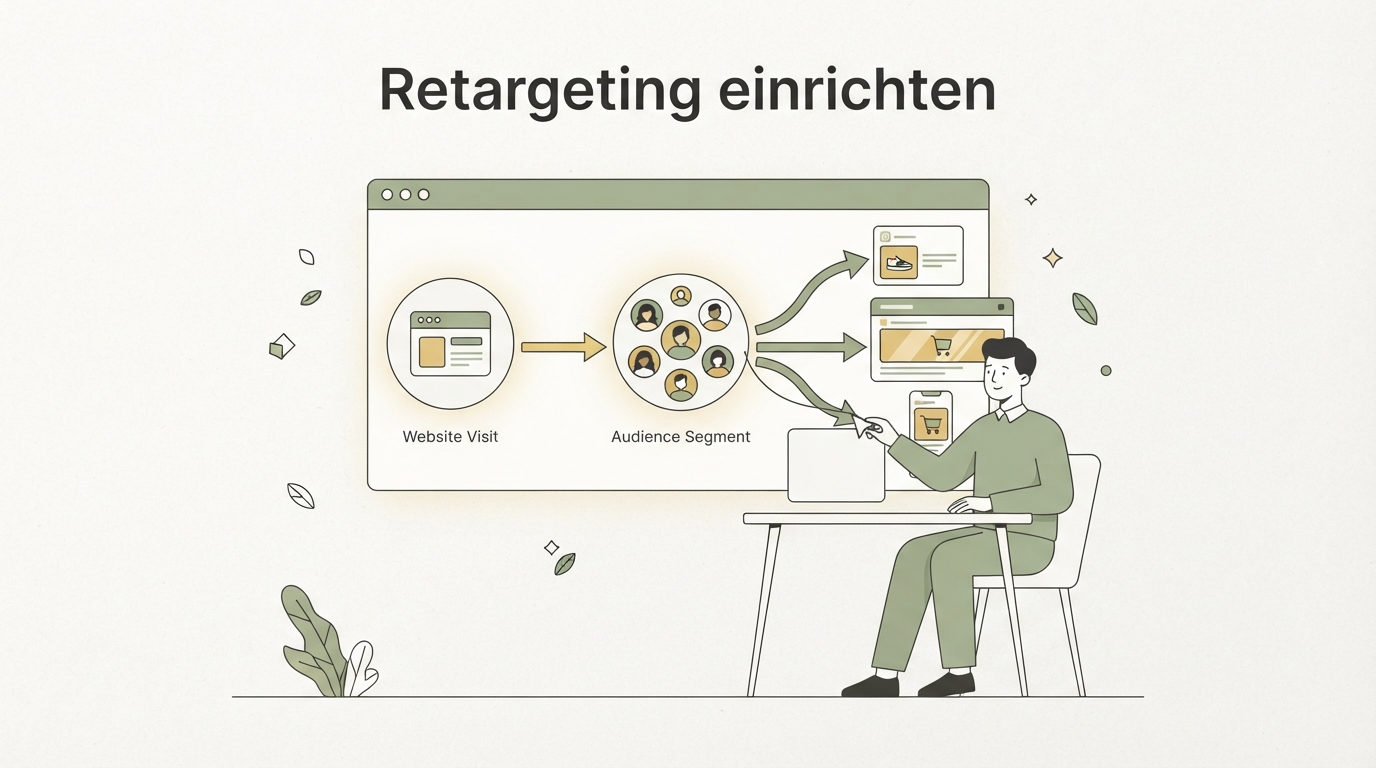
Setting up retargeting means reaching people who've already visited your website with targeted ads again — but not treating them all the same. At its core, you need a pixel (a small code snippet) that tracks visitors, plus ads that respond specifically to what that person did on your site. Sounds simple. It is, if you do it right. Most people get it wrong because they build one audience and blast the same ad to everyone.
I see this constantly with founders launching their first product: they set up retargeting, get excited about the early impressions — then two weeks later they're wondering why nobody's buying. The problem is almost never the budget. It's the structure.
Why most retargeting campaigns burn money
The most common mistake is lumping all website visitors into one bucket. Someone who only saw your homepage is in a completely different headspace than someone who just abandoned checkout. Yet both often get the exact same ad.
That's like giving a stranger on the street and your neighbor the same pitch. One doesn't know you at all, the other practically does already. That closeness to your brand is exactly the factor most campaigns ignore.
A second problem: frequency. If someone sees your ad 15 times in three days, they don't get more convinced — they get annoyed. That costs you reach, money, and sometimes even the user's opinion of your brand.
The three intent levels you should split audiences by
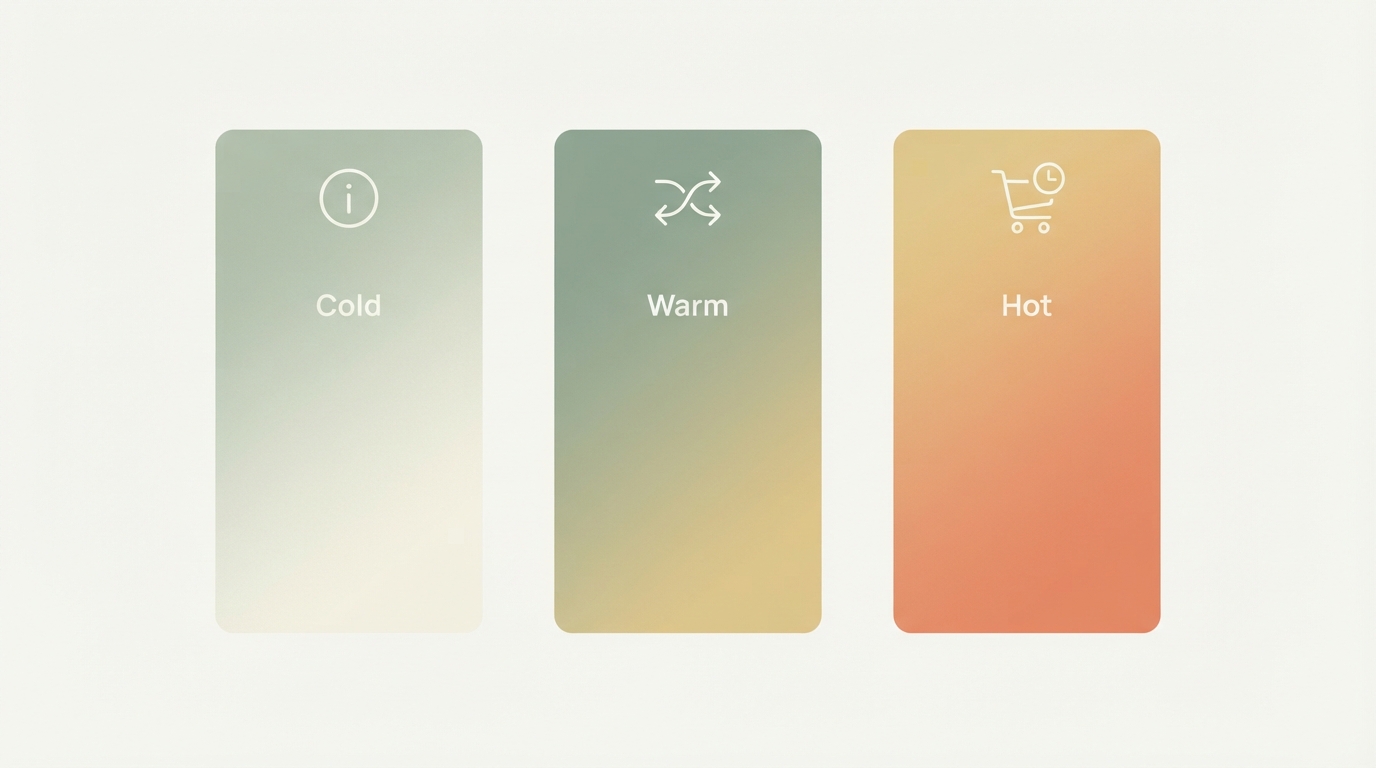
Before you launch a single ad, split your visitors by how close they are to a purchase decision. That's the real work in retargeting, not the pixel itself.
Level 1: Cold-warm visitors (just browsing)
These are people who visited a page or blog post but didn't take any concrete action. They barely know you. Don't hit them with a discount ad or a "buy now" — that feels pushy because there's no trust built up yet.
Better: show them something that deepens their interest. A case study, a testimonial, a short explanation of what your product actually solves. The message here should educate, not sell.
Level 2: Engaged visitors (viewed product pages, pricing)
This group has already actively looked into your offer. They know the problem you solve and are checking whether you're the right solution for it.
A more direct message works here: a comparison to alternatives, a specific feature that often tips the scale, or a quick answer to a common objection. You're no longer talking about the problem — you're talking about the decision.
Level 3: Near-buyers (cart or checkout abandoned)
The warmest group. These people wanted to buy and dropped off for some reason — often shipping costs, a payment question, or simply getting distracted.
Here the message can be direct: "Your cart is still waiting," a small incentive, or just a reminder with a clear next step. This is the one point on the intent scale where a discount can actually make sense — because the last hurdle here is usually something very specific, not general skepticism.
| Audience | Behavior | Right message | Typical frequency cap |
|---|---|---|---|
| Cold-warm | Visited page/blog, no action | Educate, build trust | 3–4x per week |
| Engaged | Viewed pricing/product page | Compare, address objections | 5–6x per week |
| Near-buyer | Abandoned cart/checkout | Direct reminder, small incentive | 6–8x per week |
These numbers are rough guidelines, not fixed rules — what matters in the end is how your audience actually responds. Test and watch for yourself instead of blindly copying a formula.
Setting up the pixel: the technical basics in short
Before any retargeting campaign can run, tracking has to be in place first. You need the ad pixel from each platform (Meta, Google, LinkedIn) on every page of your site, usually added through the header or a tag manager.
Important: don't just separate by audience — separate by events too. A "PageView" event is different from "AddToCart" or "Purchase." If your pixel only registers that someone showed up, but not what they did, you can't properly map the intent levels above at all. Event tracking is basically the foundation the whole segmentation stands on.
A common beginner mistake: the pixel gets installed but never tested. Use each platform's testing tools (like the Meta Pixel Helper browser extension) to confirm events are actually firing — before you put any budget behind it.
Bringing website visitors back: the message has to match the intent
This is exactly where almost every campaign gets it wrong: people just copy the ad from their cold-traffic campaign and show it again. That's wasted potential.
Someone who's already been on your site needs a different pitch than a total stranger. With cold traffic, you explain who you are and what problem you solve — with retargeting, you can skip that. They already know it. Instead, show them something that moves the decision forward concretely: a detail, a proof point, an answer to the objection that's probably holding them back.
A quick real-world example: a SaaS tool that automates bookkeeping ran "Skip the bookkeeping" as its cold-traffic ad. For retargeting, they instead showed a short video demonstrating exactly how the automation gets set up in under two minutes. The difference: cold traffic gets the promise, retargeting gets the proof.
If you're still figuring out how your ad copy should be structured in the first place, before adapting it to different audiences, it's worth checking out our article on how to write good ad copy.
Capping frequency: why less often sells more
An ad that shows up too often doesn't get more convincing — it gets annoying. This is called ad fatigue, and it's one of the most underrated cost drivers in retargeting.
Every platform has a setting for this called "Frequency Cap." Most advertisers just leave it on default and then wonder why click-through rate tanks after a few days. A rough guideline: cold-warm audiences often do fine with 3 to 4 impressions per week, while very warm audiences (cart abandoners) can handle a bit more, since the decision window is usually shorter.
Just as important: cap how long the campaign runs per person. If someone shows zero reaction after 30 days, chances are they're just not interested (anymore). Continuing to advertise to them just burns budget.
Two tools that show how differently retargeting gets used
Some companies build their entire business model around the question of who's actually been on their site — even if that person never filled out a form.
Vector, for example, identifies anonymous website visitors by name and company so B2B marketers can target them with ads more precisely — estimated monthly recurring revenue (MRR), according to our research, sits at around $1.16 million, with roughly 99,000 monthly visits. That shows how much value sits in simply knowing "who was actually on my site," especially in B2B, where a single lead can be worth a lot.
Another example: Diode, an AI-powered platform for PCB design, works in a completely different field — but here too, knowing who comes back and exactly what caught their attention matters for targeted outreach. Estimated MRR, per our data, is around $5 million, with an estimated 142,000 monthly visits.
The one step almost nobody does on their own
What I keep seeing: people set up the pixel cleanly on the technical side, but the segmentation after that stays surface-level — one audience, one ad, done. That exact step — really splitting audiences by intent and crafting the right message for each — takes time that a lot of founders simply don't have alongside building the actual product. At Starte.ai, we build exactly that in: we use real data from thousands of projects to figure out which audience structure and which message is most likely to work in your market, and build the matching creatives for it. Among other things, we've helped generate an estimated 125,000+ leads this way. The first strategy call is free, and getting started can be tested with no commitment.
How to structure the campaign technically
Once the pixel and segmentation are in place, it's time to build. Best done in this order:
- Define events: Decide which actions get tracked (PageView, ViewContent, AddToCart, Purchase).
- Create audiences: One per intent level, with a clear time window (e.g. "visitors from the last 7 days" vs. "last 30 days").
- Write the message per level: Educational for cold-warm, comparative for engaged, direct for near-buyers.
- Set a frequency cap: Realistic, not left on default.
- Set up exclusions: Remove buyers from the campaign once they've bought — otherwise you're advertising to people who are already customers.
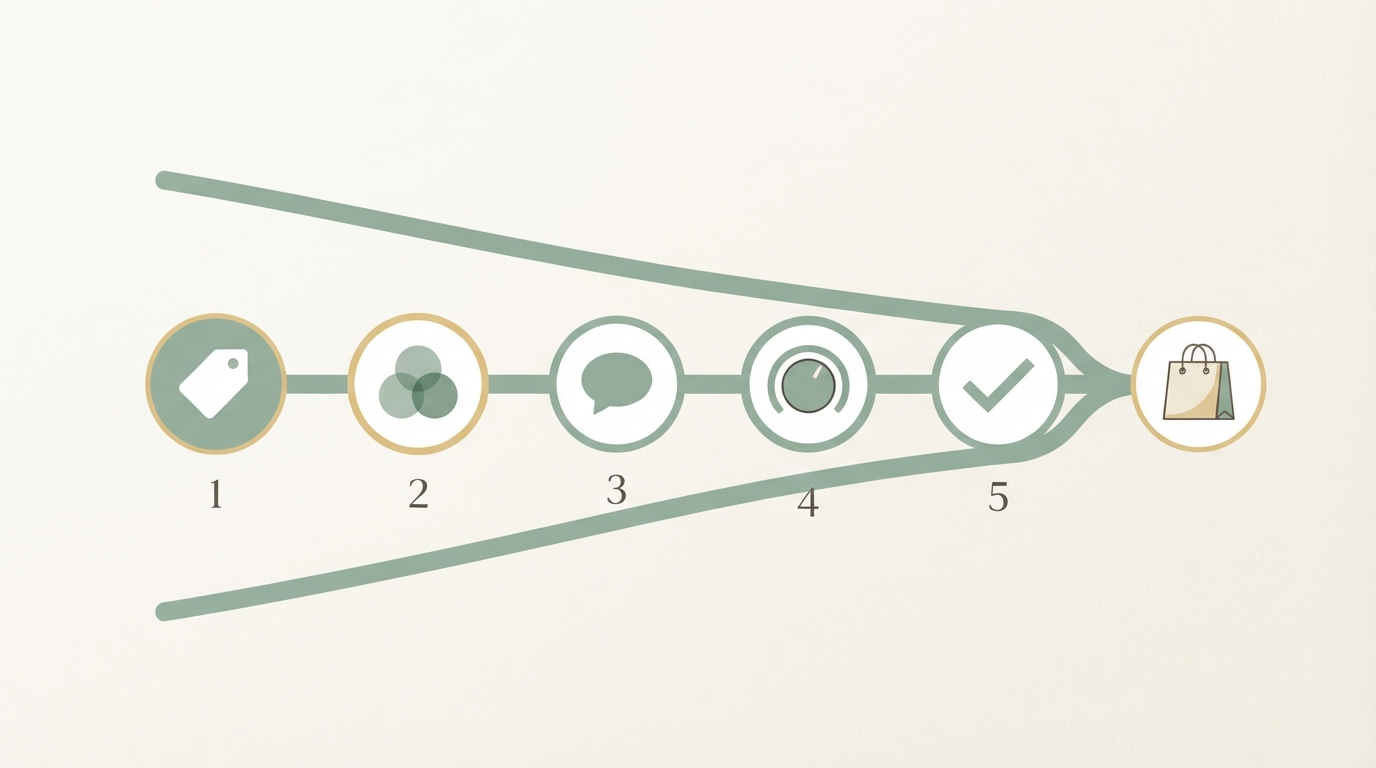
This last one, step 5, gets forgotten a lot. I missed it myself early on — it's annoying when a customer keeps seeing ads for the exact product they already bought after purchase. It looks unprofessional and wastes budget for no reason.
Retargeting isn't a substitute for good positioning
Retargeting can rescue a lot, but not everything. If your core positioning is off, or your audience just isn't a fit for your product, even the best segmentation only goes so far.
So it's worth taking an honest look at the basics before you spend time fine-tuning retargeting: does your product actually fit what the market is looking for? Our article on how to find product-market fit dives into exactly that question. And if you're still at the very beginning and looking for the right niche, our guide on how to find a profitable niche might help.
What you can learn from competitors' ads
It can help to look at how competitors structure their retargeting before building your own — not to copy them, but to spot patterns: which message shows up for which audience, how often do they rotate creatives, what stands out in the comments.
That's exactly the approach in our article on analyzing competitors' ads — it covers the mistake most people make there, which is only looking at the ad itself and not the structure behind it.
It depends on your purchase cycle. For simple, low-cost products, 14 to 30 days is often enough; for more complex B2B decisions, a window of 60 to 90 days can make more sense, since the decision usually takes longer there.
There's no fixed floor, but most platforms need a certain audience size before the algorithm can optimize properly. As a rough guideline, an audience of at least a few hundred people is often cited — smaller than that, and it gets hard to collect enough data for stable delivery.
Yes, but the technical setup gets more complex, especially with third-party cookie restrictions and the increased focus on consent. Server-side tracking (like Meta's Conversions API) is becoming more important because it's less dependent on browser cookies.
In practice, the two terms are often used interchangeably. If there's a distinction at all, retargeting usually refers to paid ad targeting on ad platforms, while remarketing is sometimes used more broadly to include email campaigns to existing contacts.
Setting up retargeting isn't really a technical problem in the end — it's a structural one: track your pixel and events properly, split audiences by intent, adjust message and frequency for each level. Start small, with three audiences instead of one, and watch which message actually works for your case.
Frequently asked
What's the most common mistake when setting up retargeting?
The most common mistake is lumping all website visitors into a single audience and showing them the same ad. Someone who only saw the homepage needs a completely different message than someone who already abandoned checkout. Ignoring these differences burns budget without driving more sales.
How often should a retargeting ad show up per person?
For cold-warm visitors, roughly 3 to 4 impressions per week is usually enough — more starts to feel pushy fast. For very warm audiences like cart abandoners, it can be a bit higher since the decision window is shorter. If someone shows no reaction after 30 days, they should be pulled from the campaign, or it just costs budget for nothing.
Which audiences should I separate in retargeting?
It makes sense to split by closeness to the purchase decision: visitors who just briefly looked around, people who checked out pricing or product pages, and near-buyers who abandoned checkout. Each group needs a different message — from educational to a direct reminder with a clear next step.
Do I need to set up event tracking separately, or is the pixel enough on its own?
The pixel alone isn't enough if you want to cleanly segment visitors by behavior. You also need event tracking that distinguishes whether someone just viewed a page, added a product to their cart, or nearly made a purchase. Without these events, you can't map out the different intent levels at all — and the segmentation becomes useless.
Written by
Bohdan BernatekFounder, Starte.ai
Founder of Starte.ai. Built a business to 125,000+ organic leads and seven-figure revenue — and now works with founders personally, deriving a strategy for their own brand from data across thousands of real projects and producing the creatives for it.