What's changed
Just a few years ago, building a web app meant either coding skills or an agency bill starting at €15,000. Today you describe what you want to build to an AI editor in plain English (or German) — and get working code back. Not perfect, not on the first try, but real. That's exactly why so many people are now asking how to actually start a SaaS without coding, in concrete terms.
What hasn't changed: someone still has to know what to build. That's where most people fail — not on the code. The AI editor is only as good as the plan you hand it. No tool on earth can tell you which problem is actually worth solving.
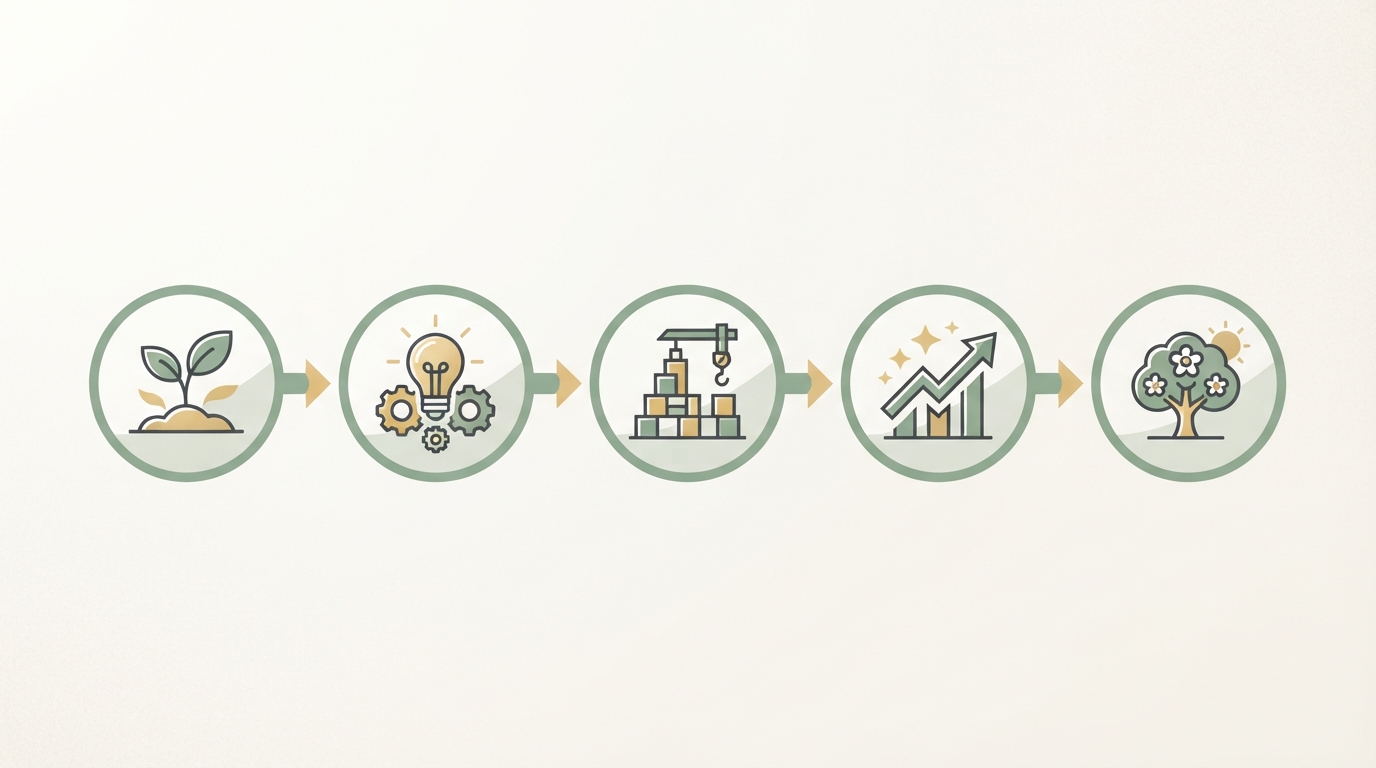
Starting a SaaS Without Coding: The 5-Step Process
Five steps that together map the path from idea to first paying user — each one builds on the last, and skipping any of them gets expensive later.
Step 1: Pick a proven problem
Don't build something with no paying market yet. That's the most expensive mistake at the start — not a badly written prompt, but a product nobody needs. Look at which small tools are already making money — here are examples with estimated numbers. To search systematically instead of by gut feeling, I use the Trend Finder: it shows you ideas with estimated traffic and revenue potential, instead of you digging through ten forums and still having to guess at the end. It won't make the decision for you, but it gives you a data foundation before you request a single line of code.
Step 2: Write the blueprint before you build
Which three features make it into version 1? What are the user steps? Which tech stack? Without this plan, the AI editor will produce beautiful code in the wrong direction — and you often won't notice until two weeks of work are already sunk. This is exactly what the Blueprint Generator is for: you enter your idea, and it hands you a ready-made MVP feature set, a matching tech stack, and even ready-to-use prompts you can paste straight into your AI editor. It's basically the blueprint you'd otherwise have to piece together yourself from forum threads and trial and error. Paul Graham put the underlying principle well: "Do Things That Don't Scale" — at the start, what matters isn't the perfect architecture, it's knowing what to build next at all.
Step 3: Build in small chunks
One prompt per feature, then test it immediately before moving to the next one. Not "build me the whole app" — that ends in chaos, because on oversized tasks the AI editor starts making assumptions you never checked. Good prompts are specific: "Build a sign-up form with email and password, error messages in English." And "testing" here doesn't just mean glancing at whether it looks nice — click through it as a real user would: submit an empty form, enter an invalid email, sign up twice. A classic bug I keep seeing: the form says "Saved successfully" but a silent validation error means nothing actually got saved — you'll only catch that by checking afterward whether the entry is really there, not just whether the green message appeared.
The smaller the prompt, the easier it is to find the bug when something doesn't work — and something almost never works quite as intended at first. With big, bundled prompts, typical patterns show up: inconsistent data validation across different features (email gets checked here, not there), duplicated logic that behaves differently in two places, or state that doesn't reset after an error. Turn it into a routine: describe the feature, generate it, immediately click through it in a live browser with real test data, only then move to the next feature.
Step 4: Get the sensitive parts checked
Payments, login, data privacy — this is not the place to guess. Use ready-made building blocks (Stripe for payments, off-the-shelf auth solutions) instead of rolling your own, because in exactly these areas a mistake costs more than time — in the worst case it costs your first users' trust or lands you in trouble over data privacy. An AI editor can build you a login feature that looks fine at first glance and still has a security hole — you often won't spot that without a proper review. If you're unsure whether your setup really holds up, it's worth having exactly this one part checked by someone experienced — on platforms like Upwork, a focused code review of login or payment flow typically runs an estimated $150–400, depending on scope. Compared to what a data leak or a compromised payment feature can cost you in trust, that's a manageable investment.
Step 5: Launch before perfection
Version 1 live with one feature beats version 3 sitting on your hard drive. That's not just a saying — it's the only way to get real feedback instead of spending months working against a product nobody has seen yet. Rob Walling captures roughly the same bootstrapping mindset: better to be early and unfinished in the market than late and flawless in a drawer. Once the first version is live, you can keep working from real user behavior instead of guesswork.
The limits — honestly
Three things nobody tells you in the "no-code will make you rich" video:
- AI editors make mistakes. You don't need to know how to code, but you do need to test what got built. Every click path, every form.
- Complexity has a ceiling. A marketplace with real-time logistics? Probably not. A focused tool with a subscription? Absolutely doable.
- Maintenance never goes away. Software is never "done." Expect some recurring work after launch: bug fixes when users report issues, occasional updates because, say, the Stripe API changes, or small tweaks because a browser update suddenly renders something differently. For a small, focused product that's often one to three hours in quiet weeks — but it can be noticeably more during active phases with lots of fresh user feedback.
None of this is a reason not to do it. It's the reason to start small and focused — a principle I explain in What Is Micro-SaaS?. For step 2 of this guide, it's also worth looking at Arvid Kahl's concept of the "Embedded Entrepreneur": in concrete terms, that means building where you're already immersed — in a community, a job, a hobby where you know the problems firsthand — instead of dreaming up an idea at your desk and hunting for a market afterward. That directly reduces the risk from point 2, because you notice an idea getting too complex before you build it, not after.
Which ideas are a good fit to start with
For your first SaaS product with no coding experience, I'd pick:
- A tool with one core function — calculator, generator, tracker, form tool
- A clear target audience you can reach (industry, community, language)
- Standard building blocks — subscriptions via Stripe, ready-made login, nothing exotic
What to avoid at the start: anything with real-time data, complex permission systems, or sensitive health/financial data. Those are the spots where an AI editor is most likely to make assumptions you won't see — and where a mistake can get really expensive. Regardless of no-code website builders, anyone choosing to start a SaaS without coding skills using AI support usually ends up with a vibe-coding approach rather than classic software development from scratch anyway.
My final advice
In 2026, the question is no longer "Can I build a SaaS without coding?" — the answer is yes. The question is: "Am I building the right thing?" On my first two projects, that's exactly what I underestimated: I jumped into building way too fast, because that's the fun part, and let the market question run in the background. The result was technically solid and almost nobody needed it. Give that decision more time than anything else. The full path from idea to first users is in my complete guide.
If there's one blueprint worth following, it's this: validate before you build, build less than you think you need, and talk to users before you're ready. Most first-time SaaS builders — including me — do it the other way around, and that's usually why the product lands quietly with no one noticing.
Your next steps from here
Here's how to move forward without getting stuck in planning mode:
- Write down the problem you know firsthand. Not the solution yet — just the problem, whose it is, and how you know it's real. One paragraph is enough.
- Sketch the single core function. What's the one thing your tool does that saves someone time, money, or frustration? If you need more than one sentence to describe it, narrow it down.
- Choose your building environment. For most non-coders in 2025–2026, that means a vibe-coding setup: an AI editor like Cursor or Bolt, a simple backend, Stripe for payments, and a hosted deployment like Vercel or Railway. Keep the stack boring and proven.
- Get in front of five potential users before writing a single line of code. A Loom video and a waitlist form is enough to test whether anyone cares.
- Launch an ugly version. Functional and in front of real users beats polished and still on your hard drive every single time.
This is the step — turning a working product into something that actually finds its first hundred users — where most solo builders stall out, not because they lack the skills, but because distribution is a completely different discipline from building. That's exactly the gap Starte.ai was designed to close: rather than handing you a generic playbook, the system analyzes data from hundreds of real projects to help derive a strategy that fits your specific market, then supports you in creating the content, hooks, and outreach that can generate organic traction without an ad budget. Bohdan Bernatek works with founders personally through the process, and the first strategy call is free to try. If you've got a working product — or even just a solid idea — that's a concrete, low-friction place to start.
The tools have never been more accessible. The real advantage now goes to whoever asks the market question seriously, starts smaller than feels comfortable, and ships before they're ready.
Frequently asked
Can I start a SaaS without any coding knowledge?
Yes. In 2026, AI editors write the code for you — you describe in plain language what should be built. What matters is a clear blueprint and thorough testing, not a computer science degree.
What tools do I need for this?
An AI editor for the code, Stripe for payments, and a ready-made login solution. Together, that usually costs under €100 a month to get started.
Where are the limits of building a SaaS without coding?
Very complex products (real-time systems, marketplaces) and sensitive areas like health or financial data. For focused tools with one core function, though, this approach is absolutely realistic.
Written by
Bohdan BernatekFounder, Starte.ai
Founder of Starte.ai. Built a business to 125,000+ organic leads and seven-figure revenue — and now works with founders personally, deriving a strategy for their own brand from data across thousands of real projects and producing the creatives for it.